How to protect a brand colour when recolouring artwork in Illustrator
Use Generative Recolor on the illustration alone, then compare three palettes without changing the logo or its spot-colour swatch.
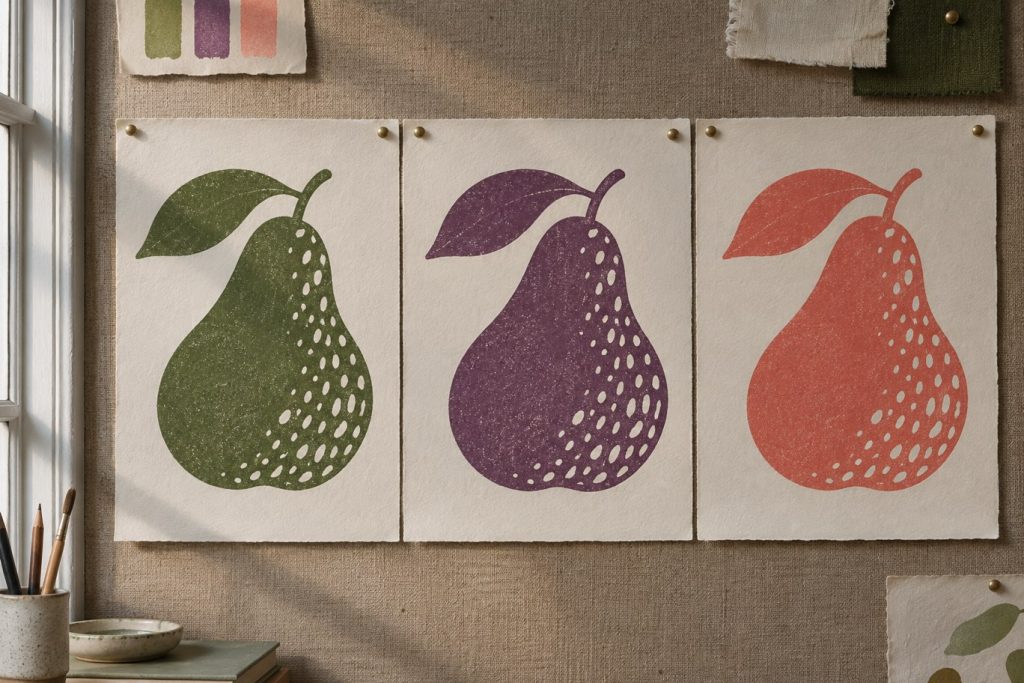
Imagine a pear label in three seasonal editions. The fruit, leaf and background can change; the logo cannot. Rather than asking a prompt to protect the logo, keep it outside the selection.
Choose what can change
Duplicate the artboard. Put the logo and legal text on a locked layer. Select the fruit, leaf and background, then open Generative Recolor in Recolor Artwork. Adobe introduced the feature in beta on 13 June 2023. The shapes stay the same, so differences in emphasis come from colour.
Judge the fruit before the palette
Try “brick-red pear on pale paper, dark olive leaves”. Compare a warm version, a cool version and the original at label size. Which shape reads first? If the leaf disappears into the pear, change the lightness of that fill by hand. Before delivery, compare the logo swatch with the original: a spot ink needs the same swatch name and type. Two greens that match on screen can land on different printing plates. A palette suggestion is no substitute for a print proof.